Import from any app
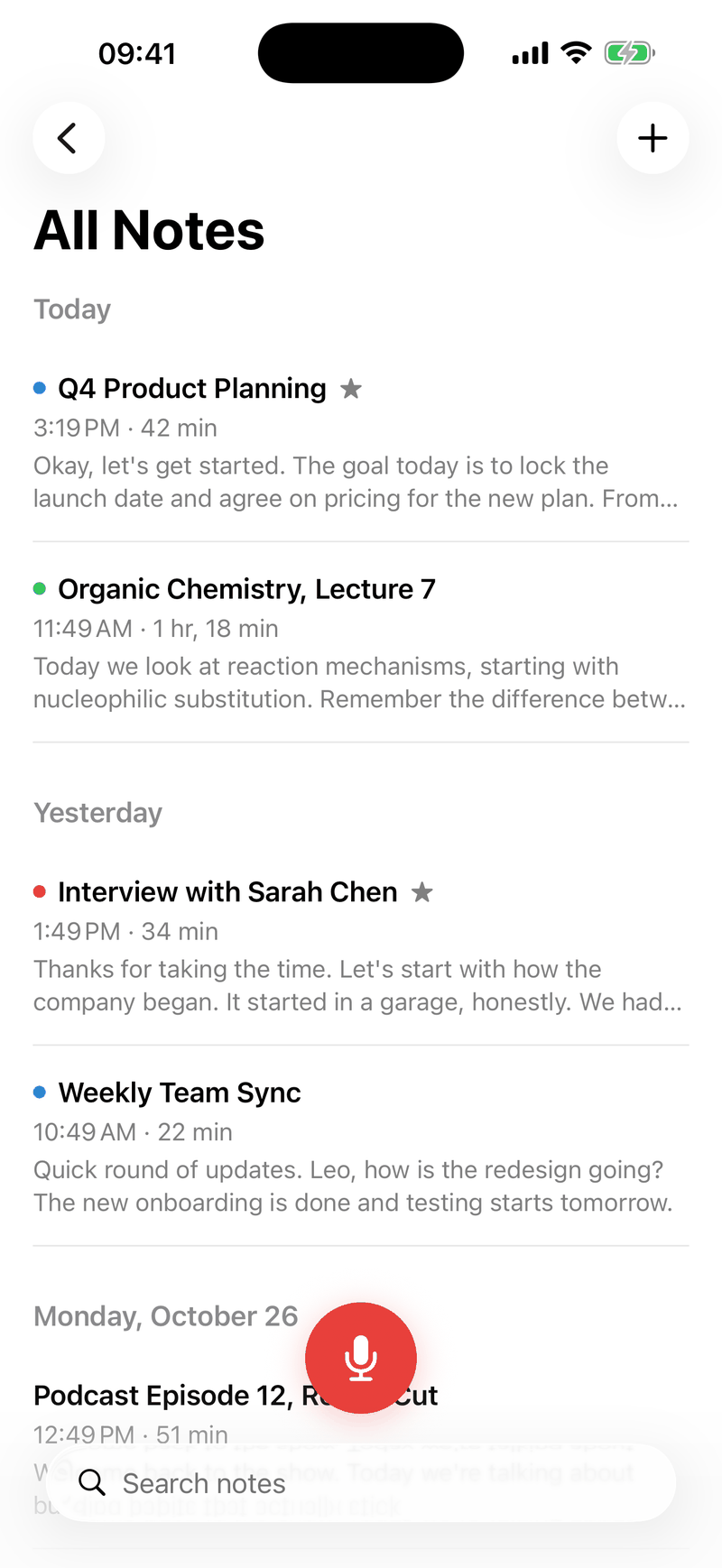
Share audio or video from Files, your photo library or the share menu of any app, and Ondia takes it from there.
On-device transcription with Whisper
Ondia turns meetings, lectures and interviews into clear, searchable text right on your iPhone and iPad, in about 100 languages. No account, no servers, and it keeps working in airplane mode.

Free to start. The first 3 minutes of every recording are always free.
Privacy
Most transcription apps send your audio to a server. Ondia runs the speech model on your iPhone or iPad instead, so the meeting, the lecture and the interview stay with you.
The speech model is downloaded once from Hugging Face. Purchases are handled by Apple. Read the privacy policy.
Cloud servers: not used. Nothing is uploaded.
Features
Ondia does more than write down words. It knows who spoke, follows along as you listen and pulls out what matters.
Speakers
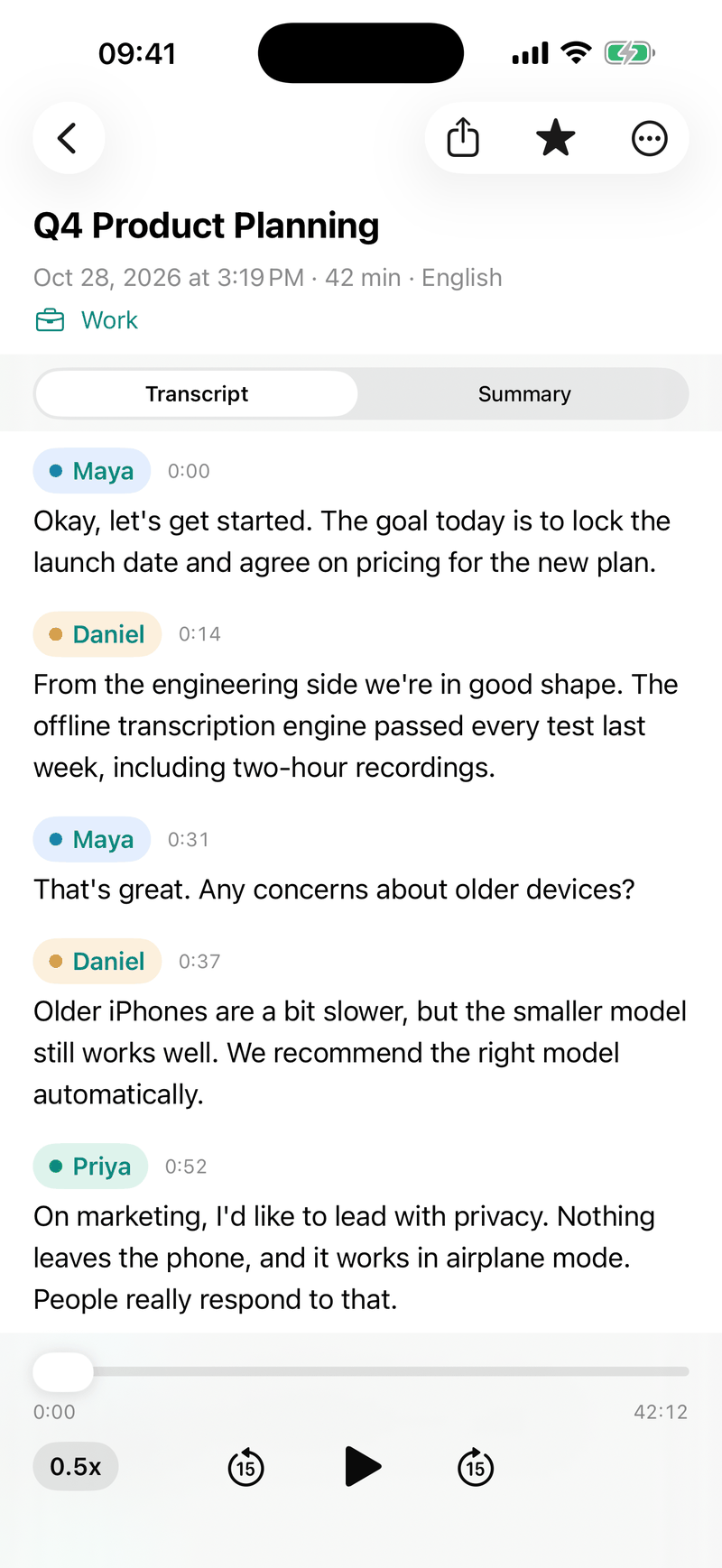
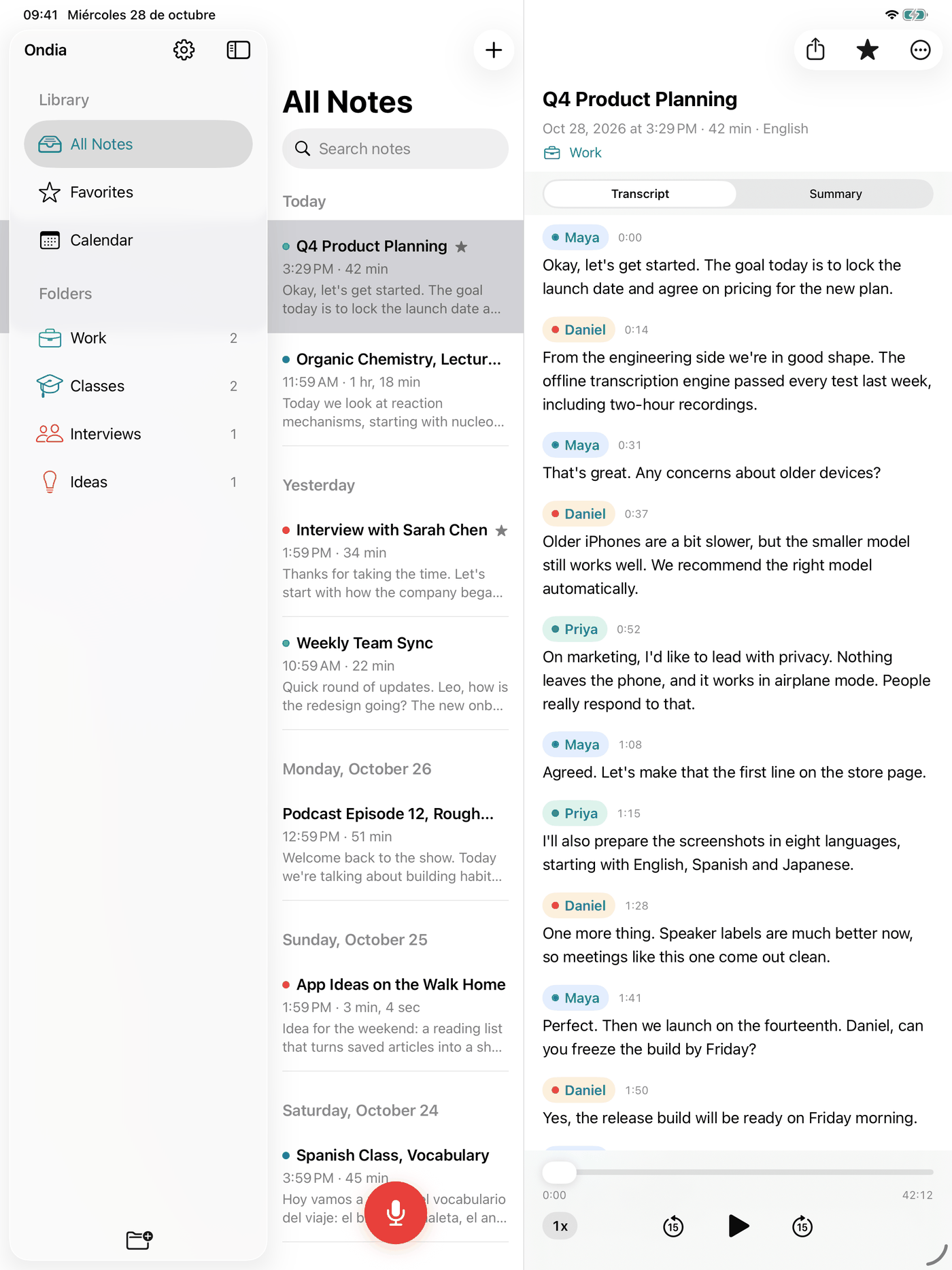
Ondia separates the voices in a recording on the device and labels each part of the conversation. Name a speaker once and every line in the note follows.
Playback
Press play and the text lights up word by word as the audio plays, so checking a quote takes seconds. Edit anything in place when a word needs fixing.
Okay, let's get started. The goal today is to lock the launch date and agree on pricing for the new plan.
From the engineering side we're in good shape. The offline transcription engine passed every test last week.
That's great. Any concerns about older devices?
Summaries
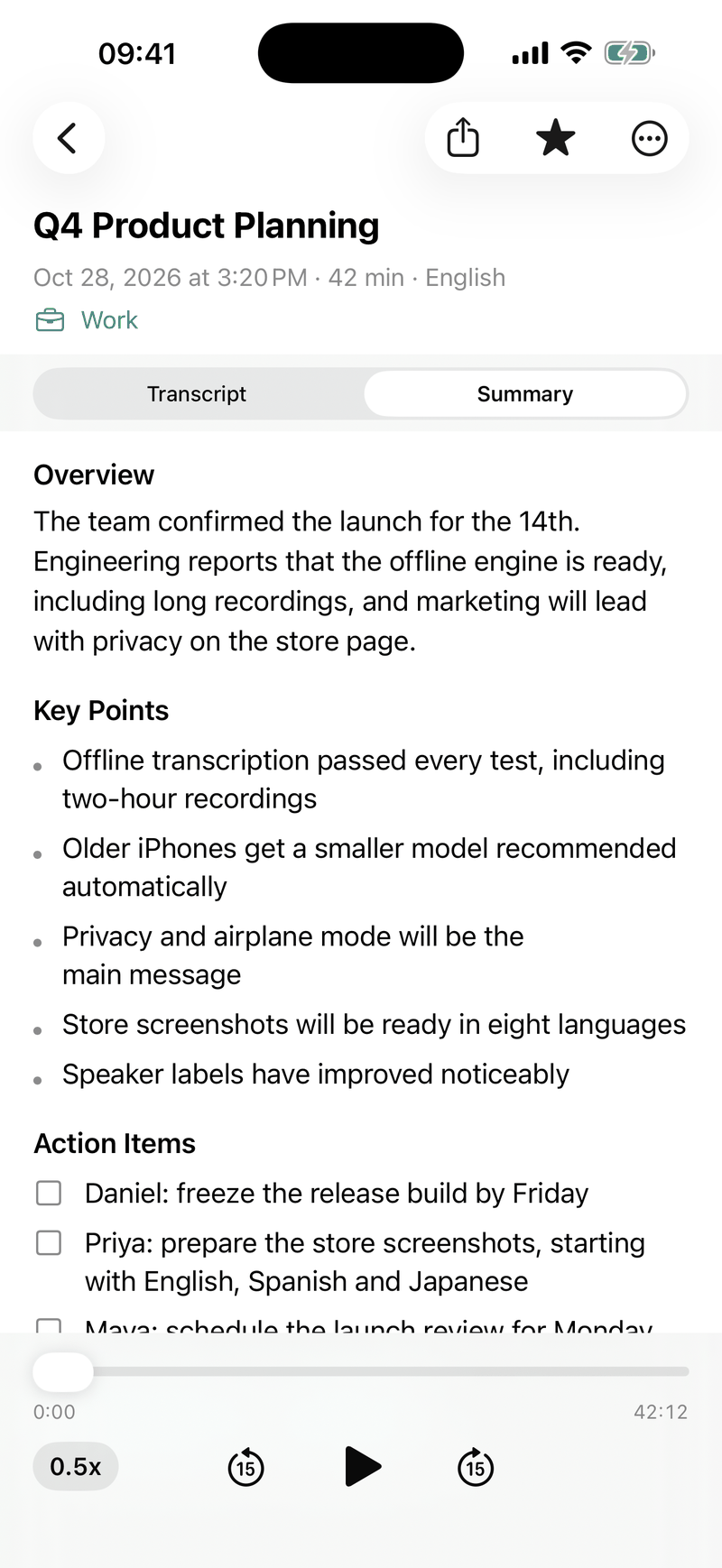
On devices with Apple Intelligence, Ondia writes the overview, the key points and the action items for you. It all happens on the device, just like the transcription.
Summaries need a device that supports Apple Intelligence.
Export
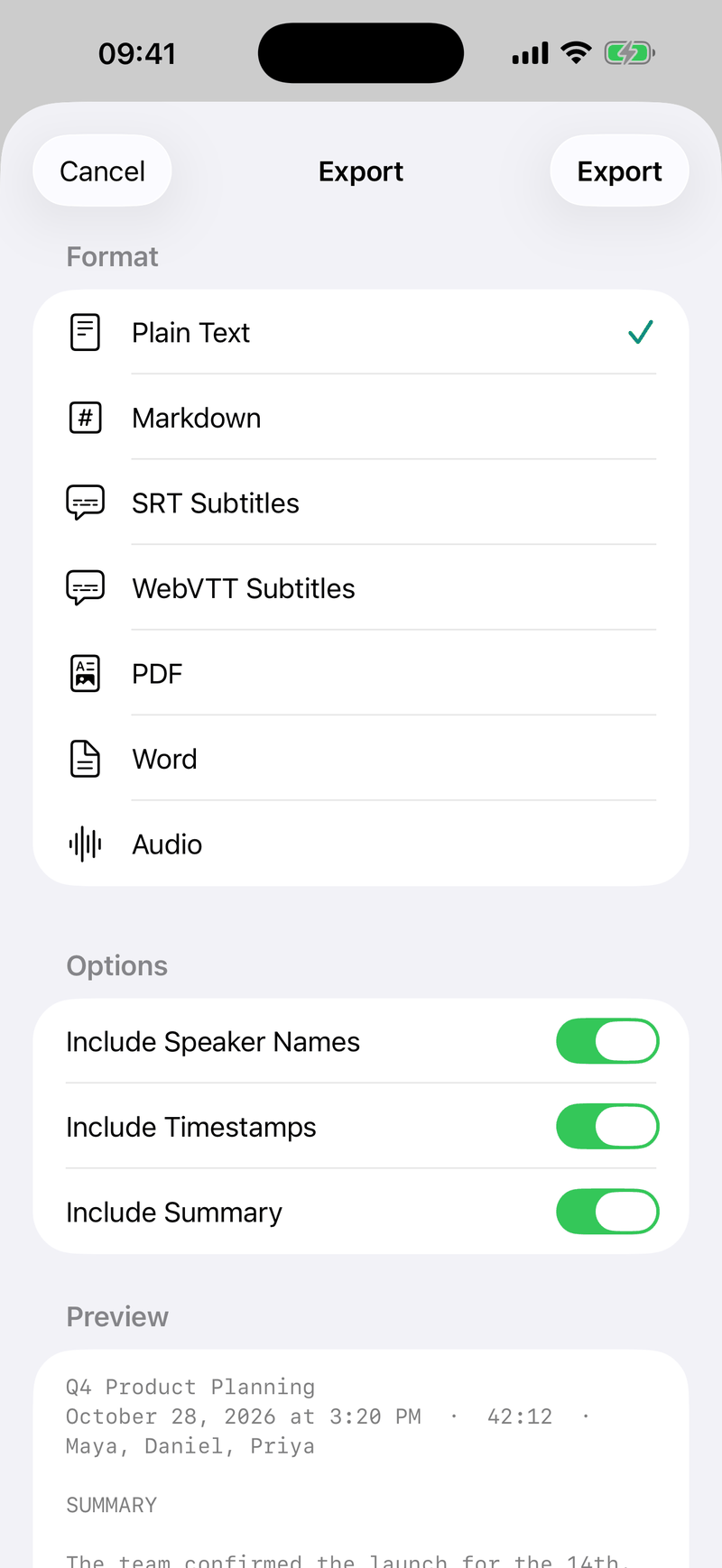
Send a transcript to a colleague, drop subtitles into your video editor or archive a lecture as a PDF. Export one note or a whole batch at once.
Small things that save you time every day.
Share audio or video from Files, your photo library or the share menu of any app, and Ondia takes it from there.
Teach Ondia the names, brands and terms you use, so they come out spelled right.
Fix a name in every note in one go.
Keep every recording where it belongs, and find it by the day it happened.
Import a video and Ondia transcribes its audio. Then export SRT or VTT subtitles timed to the clip.
A sidebar for your folders, your notes in the middle and the full transcript beside them. Long transcripts finally get the space they deserve.
Languages
Whisper Large V3 Turbo, one of the most accurate open speech recognition models, transcribes about 100 languages, all on your device.
Including English, Spanish, French, German, Italian, Portuguese, Japanese, Korean, Chinese, Arabic, Hindi, Russian, Turkish and many more.
Apple Watch and widgets
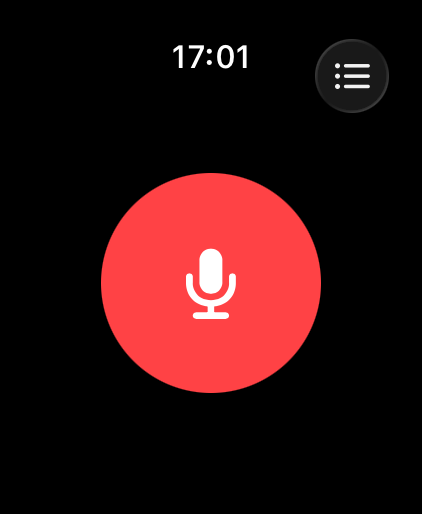
Ondia is ready on your wrist, your Home Screen, your Lock Screen and in Control Center, so you never miss the first sentence.
Start a recording from your wrist while your iPhone stays in your pocket.
Start a recording or open your latest notes with a single tap.
Watch the timer, then pause or stop from the Lock Screen and the Dynamic Island.
Add the Record button and start a note from anywhere.
Made for
Whatever you record, Ondia turns it into text you can search, share and act on.
Minutes, decisions and action items, without taking notes during the call.
Speakers · Summary · WordRecord the whole class and review the parts that matter before the exam.
Folders · Calendar · PDFExact quotes with who said them, ready for your story or your research.
Speakers · Playback · MarkdownTurn episodes and videos into show notes and timed SRT or VTT subtitles.
Video · SRT · VTTThink out loud on a walk, then find the idea later by searching for a word.
Apple Watch · Widgets · SearchCompare
How Ondia differs from typical cloud transcription services.
| Feature |  | Typical cloud service |
|---|---|---|
| Where your audio is processed | On your iPhone or iPad | On the provider's servers |
| Internet connection | Not needed after a one-time model download | Required to transcribe |
| Account | None | Usually required |
| Copies of your recordings | Only on your device | Uploaded to the provider and kept under its retention policy |
| Who can access your content | Only you | The provider, under its own terms |
| Pricing | Free for the first 3 minutes of every recording. Pro from $1.50 a month, or $34.99 once | Usually a monthly subscription, often with minute limits |
Based on how server based transcription works in general. Individual services differ, so check their terms.
Pricing
Every recording gets its first 3 minutes transcribed for free. Ondia Pro removes the limit.
$0
Forever, with no account
Prices in US dollars. The App Store shows the price in your currency. Subscriptions renew automatically until you cancel them in iOS Settings. Purchases are handled by Apple.
FAQ
Yes. Ondia downloads the speech model once. After that, transcription runs on your device without an internet connection, even in airplane mode.
No. Your recordings, transcripts, summaries, folders and vocabulary are stored only on your device. We run no servers that receive your content, and we cannot access it. The only download is the speech model, which comes from Hugging Face.
Ondia runs on iPhone and iPad with iOS 18 or later, and works best on iPhone 13 or newer. The Apple Watch app lets you start a recording from your wrist.
About 100 languages, with Whisper Large V3 Turbo.
Ondia tells speakers apart on your device, so you can see who said what in a recording. You can rename each speaker, and the names carry through to your exports.
Summaries, key points and action items use Apple Intelligence, so they need a device that supports it. They are included in Ondia Pro.
The free plan transcribes the first 3 minutes of every recording, with as many recordings as you like. Ondia Pro removes that limit and adds every export format, batch export and summaries. You can choose a monthly, yearly or lifetime plan.
TXT, SRT and VTT subtitles, Markdown, PDF, Word and audio, for one note or many at once.
Open the Ondia paywall and choose Restore purchases. Purchases are linked to your Apple Account, so they restore on any of your devices signed in with that account. To cancel, open iOS Settings, tap your name, choose Subscriptions, select Ondia Pro and cancel.
More answers on the support page.
Download Ondia and transcribe your first recording in a few minutes. Privately, on your device.
Free to download. iPhone and iPad with iOS 18 or later.